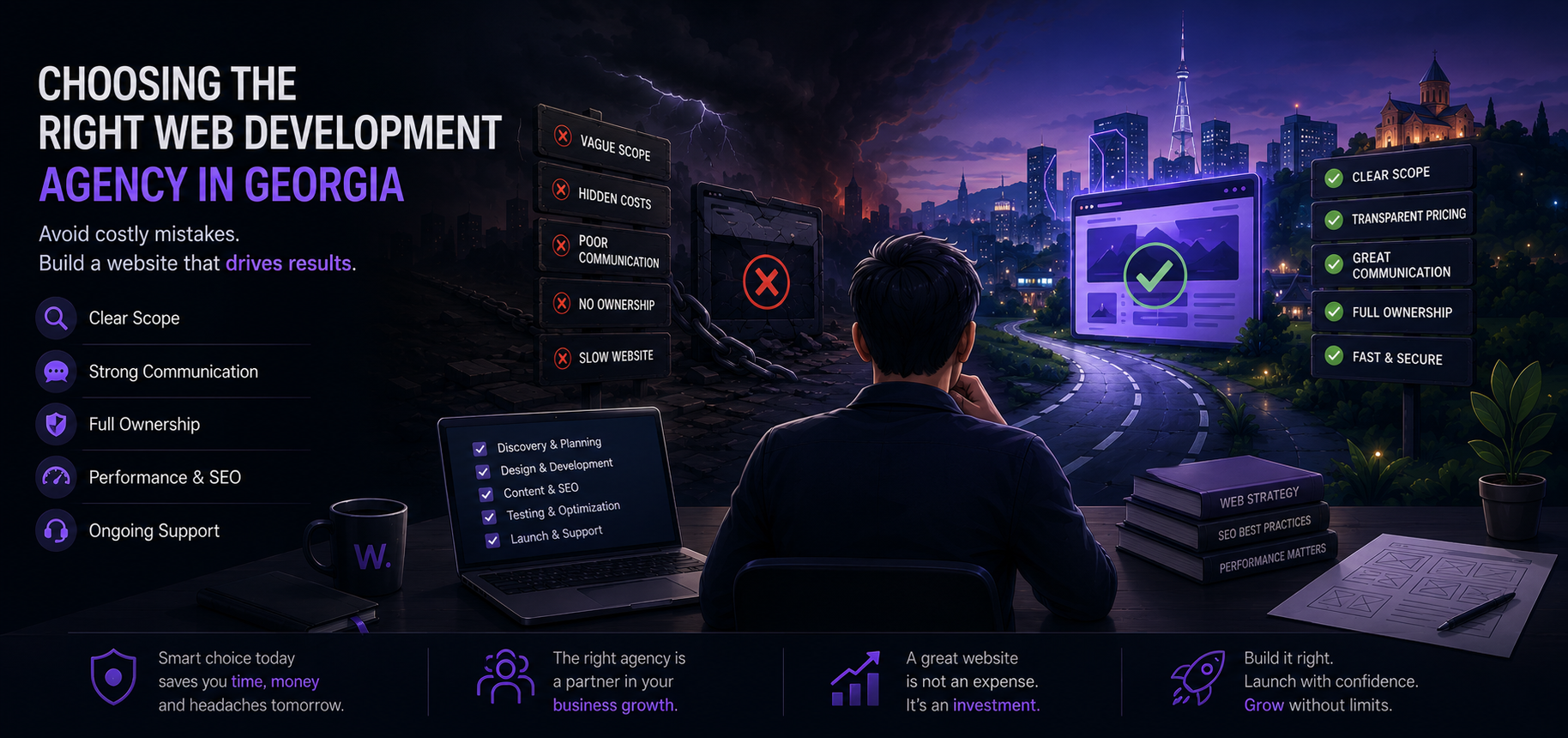
How to Vet a Georgia Web Development Agency: Questions and Checklist
Compare Georgia web agencies with questions and red flags. Use a launch checklist covering scope, content, SEO, hosting, and maintenance.
Choosing the wrong web development agency in Georgia can cost far more than the invoice. You pay twice: once to build the wrong thing, then again to rebuild it, fix SEO damage, or live with a slow site that quietly loses leads. This guide is written so you can evaluate any web design agency Georgian businesses hire—freelancer, studio, or international firm—using concrete questions, red flags, and a launch checklist you can reuse.
Why most website projects go wrong (and how to spot it early)
Most “failed” website projects don’t fail at design. They fail at scope, communication, ownership, and follow-through.
Here are the patterns that show up again and again.
1) The scope is vague, so the timeline and price are fiction
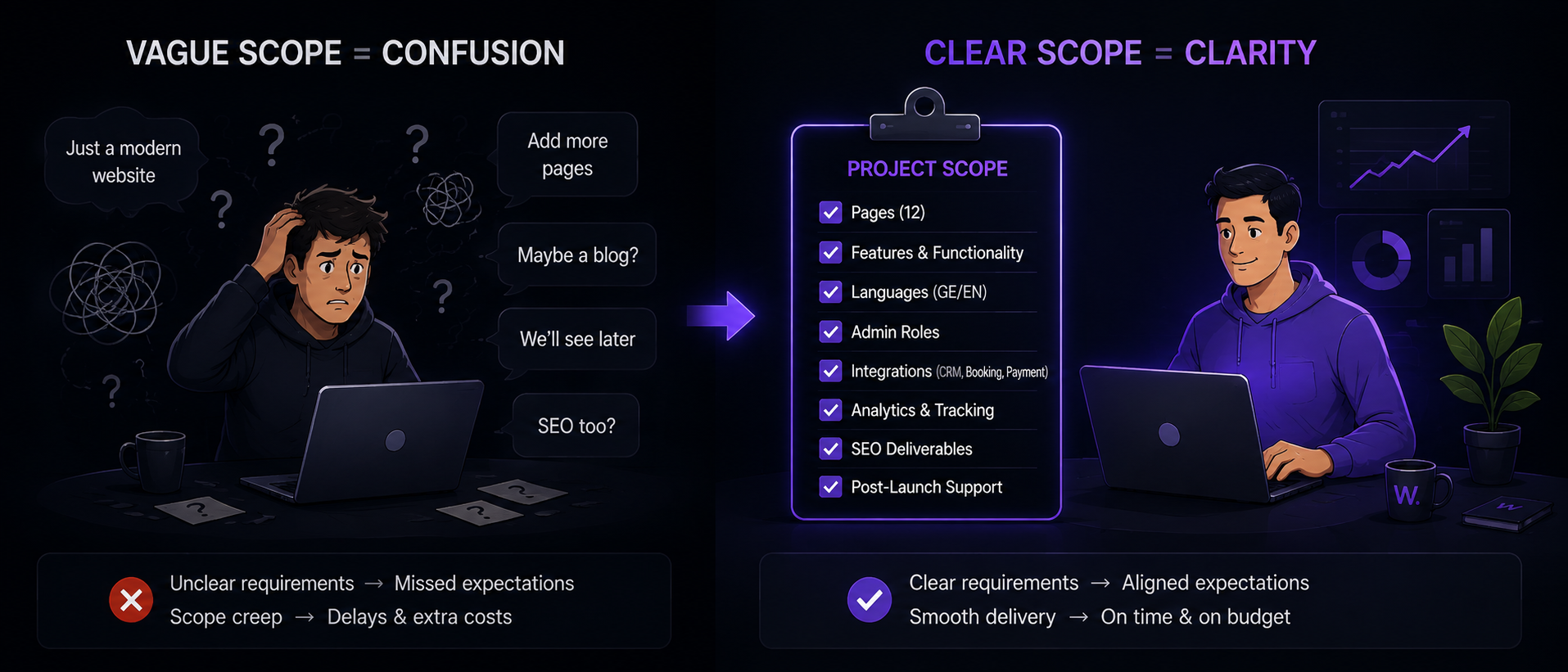
If the scope is “a modern website with SEO,” you don’t have a scope. You have a mood.
What goes wrong:
- Pages keep getting added “just one more.”
- The agency guesses content will be provided, then waits.
- Integrations (CRM, booking, payment, email) appear late and break deadlines.
- Nobody agrees what “done” means.
What to do instead:
- Ask for a written scope with: page list, features, languages, admin roles, integrations, analytics, SEO deliverables, and post-launch support.
Concrete example:
- “Company website” could mean 5 pages + contact form.
- Or it could mean 25 pages, bilingual, blog, lead tracking, cookie consent, migrations, and a training session.
- Same phrase. Different project.
2) Cheap quotes hide missing work (or future leverage)
If a quote is dramatically cheaper than others, one of three things is happening:
- Discovery is skipped, so the agency is guessing.
- Quality controls (testing, performance, accessibility, SEO) are not included.
- Ownership is limited (you can’t move hosting, can’t access accounts, don’t get code).
A low quote often becomes expensive when the invoice grows through “change requests” that were predictable from day one.
“If a quote is missing discovery, you’re paying for it later—just later.”
3) Poor communication creates rework
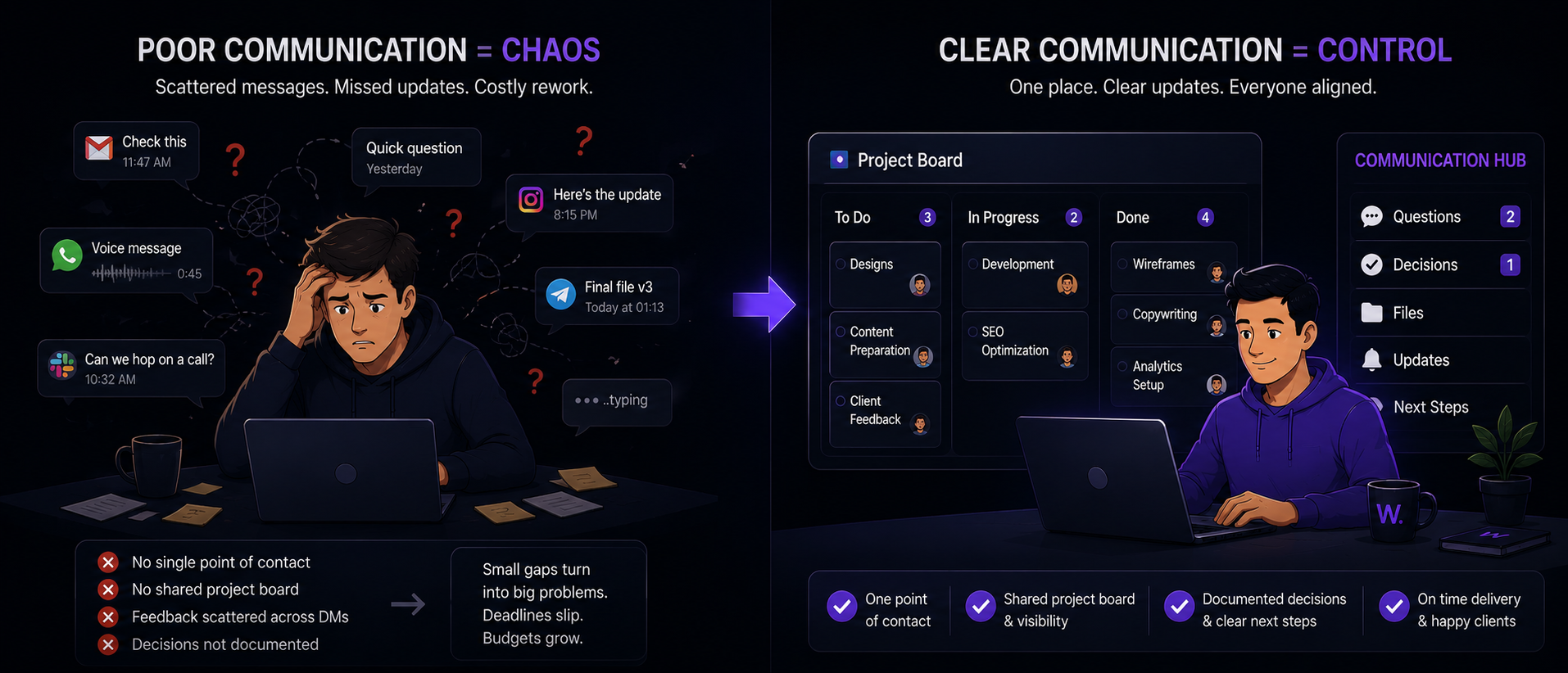
This is the real cost driver. If the agency cannot run a clean weekly cadence—questions, decisions, demo, next steps—small misunderstandings compound.
Watch for:
- No single point of contact.
- No shared project board.
- Feedback happens in scattered DMs instead of tracked decisions.
4) Outsourcing is not disclosed (and accountability disappears)
Outsourcing is not automatically bad. Hidden outsourcing is.
Risks:
- The person you met is not the person building.
- The agency can’t answer technical questions without “checking with the developer.”
- Delivery depends on a subcontractor you have no contract with.
What to ask:
- “Who will design? Who will build? Are they employees or contractors? Where are they based? Who reviews their work?”
5) Template websites are sold as custom
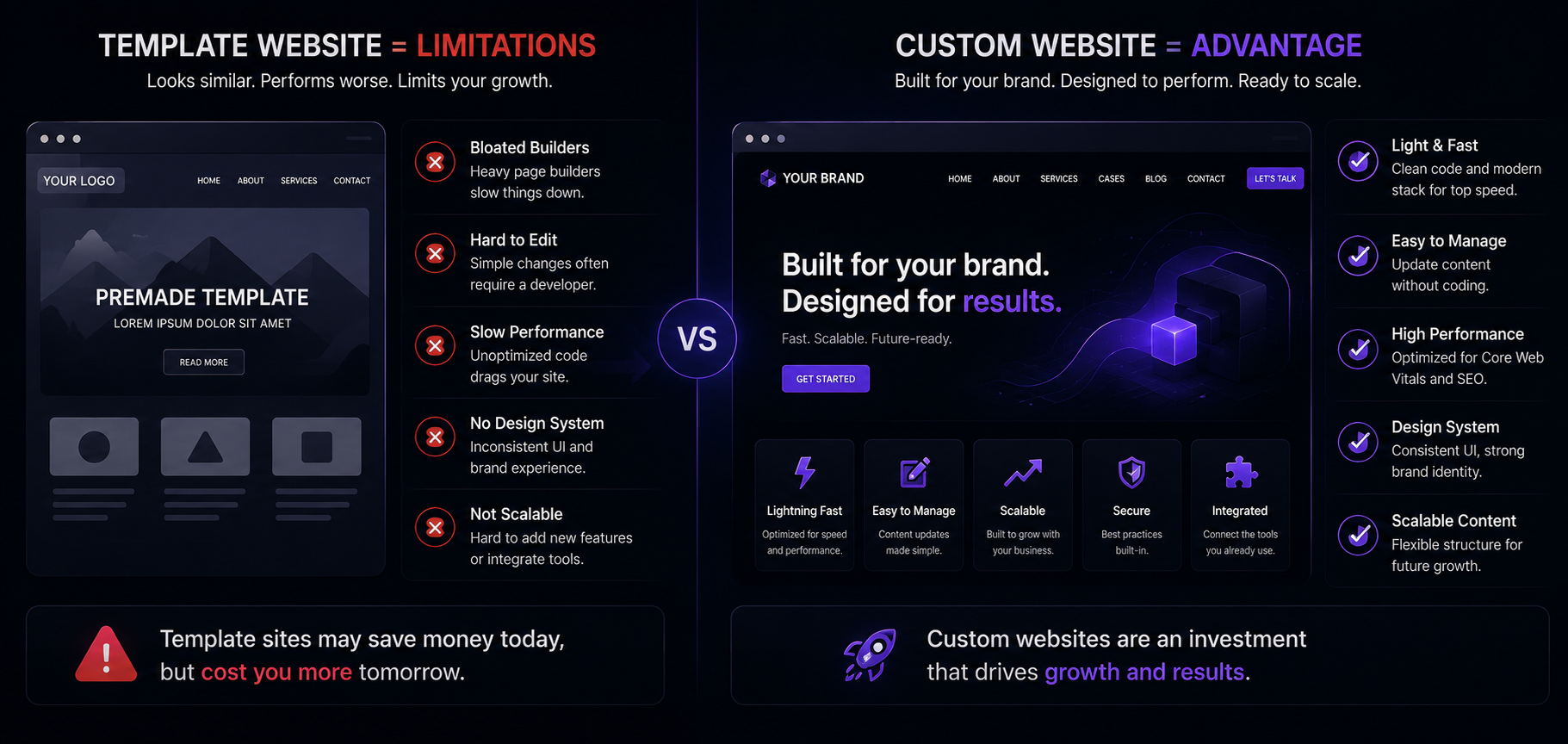
A template can be fine for a small, simple goal. The problem is when it’s sold as “custom website Georgia” work while giving you:
- Bloated builders
- Uneditable sections without developer help
- Poor performance
- No design system
- No scalable content model
6) No planning for content (so launch slips)
Many agencies build the shell and then discover:
- No copy exists.
- No photos exist.
- No translations exist (common in Georgia: Georgian + English).
- No one is responsible.
Fix:
- Set content ownership in the contract: who writes, who translates, who approves, and the deadlines.
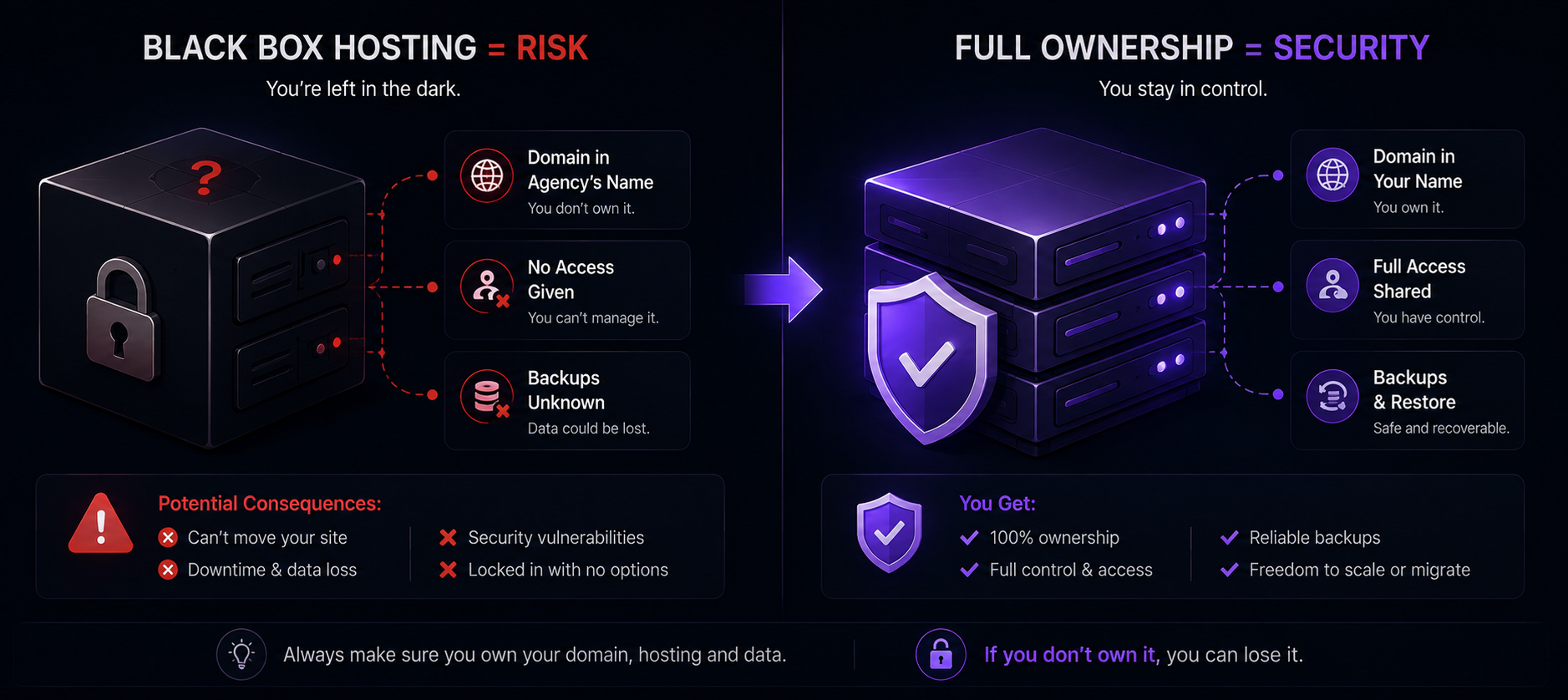
7) “Hosting” is treated as a black box
Bad hosting doesn’t just slow the site. It breaks email deliverability, uptime, backups, and security patching.
Common failure modes:
- The domain is registered in the agency’s name.
- Hosting credentials are not shared.
- Backups don’t exist—or can’t be restored.
8) Maintenance is ignored until something breaks
Most websites need ongoing work:
- CMS/plugin updates (if applicable)
- Security patches
- Form spam controls
- Content edits
- Analytics issues
- Performance regressions
A site with no maintenance plan is not “finished.” It’s “unattended.”
Freelancer vs agency vs in-house developer (objective comparison)
There isn’t one “best” option. There’s the option that fits your risk tolerance, timeline, and long-term needs.
Quick comparison table
| Option | Best for | Typical risks | Communication | Long-term scalability | Maintenance reality |
|---|---|---|---|---|---|
| Freelancer | Small, well-defined website project with low complexity | Single point of failure, limited capacity, gaps (design/SEO/security) | Direct, fast when available | Depends on the person | Often ad-hoc |
| Agency / studio | Full website development process, multi-skill delivery, accountability | Some agencies oversell and outsource | Usually structured with PM | Better if engineering standards exist | Can be packaged |
| In-house developer | Ongoing product work, frequent releases, deep domain knowledge | Hiring time, management overhead, narrow skill set (design/SEO) | Strong if managed well | High | Strong if resourced |
When a freelancer is the right choice
Choose a freelancer if:
- Your website is straightforward (few templates, no complex integrations).
- You can provide content on time.
- You have internal capacity to manage scope and QA.
- You can accept slower delivery if they get busy.
Good freelancer projects are usually tight: clear page list, clear tech choice, minimal integrations.
When an agency is the right choice
Choose a web development agency Georgia businesses rely on if:
- You want one team handling discovery, design, build, and launch.
- You need bilingual structure (Georgian + English) done properly.
- You care about performance, SEO foundations, accessibility, and security.
- You want a predictable process with milestones and demos.
When in-house makes sense
In-house is not a “website build” decision. It’s a product decision.
Go in-house if:
- Your website is tied to custom software.
- You will ship new features monthly.
- You can hire and manage engineering and design.
Decision tree: which route fits you?
Do you need ongoing feature development after launch?
├─ Yes → Can you hire and manage a dev role?
│  ├─ Yes → In-house (often + an agency for design / initial build)
│  └─ No  → Agency (retainer or ongoing support)
└─ No  → Is the scope small and stable?
   ├─ Yes → Freelancer or small studio
   └─ No  → Agency (discovery + fixed scope + milestones)
The 20 questions every business should ask before hiring an agency
Use these questions as an interview script. A serious website development company Georgia clients trust will answer clearly, in writing, without defensiveness.
1) Who owns the domain?
You should own the domain. Full stop.
Ask:
- “Is the domain registered in my company name and email?”
- “Will I have registrar login access on day one?”
2) Who owns the hosting account?
Same principle. If the agency pays and you “rent” access, you are locked in.
Ask:
- “Will hosting be in my name with my payment method?”
- “Can I move hosting later without rewriting the site?”
3) Who owns the source code?
If it’s custom work, you should receive the repository or a full export.
Ask:
- “Do I get the full source code at the end?”
- “Do you use Git version control? Will I have access?”
Weblier’s stated approach (relevant example): clients own the code and every account.
4) What exactly is included in discovery?
If there is no discovery, you’re paying to learn via rework.
Ask what the discovery output is:
- sitemap
- wireframes or page outlines
- content responsibilities
- technical plan
- risks and assumptions
5) What pages and templates are included?
Get a list.
Example of clarity:
- “Home, About, Services (1 template), Service detail (1 template), Blog index, Blog post, Contact.”
This matters because template count drives build time.
6) How will content be handled?
Ask:
- “Who writes copy?”
- “Who sources images?”
- “Who translates Georgian/English?”
- “Who uploads content and formats it in CMS?”
If you are responsible, confirm deadlines.
7) What is your website development process and timeline?
A real answer includes stages and durations.
Example of a structured process (one approach): discovery → design → build → launch, with weekly demos during build.
If they can’t describe their process, expect chaos later.
8) Will we see a working demo, or only mockups?
Mockups can hide performance and responsiveness problems.
Ask:
- “When will I click a real working version on a staging link?”
- “How often will I see updates?”
9) What is the SEO plan in the build, not just “we’ll do SEO later”?
“SEO website” work starts in architecture and templates:
- clean URLs
- title/meta controls
- headings structure
- internal linking
- structured data where relevant
- fast rendering
- sitemap/robots
- redirects if migrating
Ask for a checklist of what they deliver technically.
10) How do you handle performance?
Ask for specific measures:
- “Do you run Lighthouse tests?”
- “What is your plan for images, fonts, caching, and scripts?”
- “What performance budget do you aim for?”
No agency can guarantee a perfect score for every page forever (content changes). But they can explain the practices.
11) How do you handle accessibility?
Ask:
- “Do you test keyboard navigation?”
- “Do you ensure color contrast and focus states?”
- “Do forms have labels and error messaging?”
If accessibility is ignored, you risk excluding users and creating legal risk in some markets.
12) What security practices are included?
Ask:
- “How do you protect admin logins?”
- “Do you implement rate limiting / spam controls on forms?”
- “How are secrets (API keys) stored?”
- “Do you enable HTTPS and security headers?”
13) What analytics will be installed, and who owns the accounts?
You want ownership of:
- Google Analytics (or alternative)
- Google Search Console
- Tag Manager (if used)
- Meta pixel / ad accounts (if used)
Ask:
- “Will these be created under my company email?”
- “Will I be an admin?”
14) What is included in testing?
At minimum:
- cross-browser check
- responsive layouts
- form testing + email deliverability
- broken link scan
- 404 page and redirects
- basic security checks
Ask if they have a written QA checklist.
15) How do changes work after we sign?
Change is normal. The question is the mechanism.
Ask:
- “How do you price changes—hourly, fixed per change, or change orders?”
- “How do you prevent scope creep?”
16) What happens after launch?
Ask for a post-launch plan:
- bug-fix window
- handover documentation
- training session
- maintenance options
A website without a handover is a dependency.
17) Do I get design files?
If design is custom, ask for the source (often Figma).
Ask:
- “Do I get the editable design file?”
- “Is it included in price?”
18) What CMS will I use, and can non-technical staff update it?
Ask for a live demo of editing:
- add a blog post
- edit a service page
- update images
- manage bilingual content
If they can’t show you, you’re buying a black box.
19) How will we handle bilingual structure (Georgian + English)?
This is a common requirement in Georgia and has SEO implications.
Ask:
- “Will each language have its own URLs?”
- “Will you implement correct language switching and SEO tags (hreflang)?”
- “How will we manage translation updates?”
20) Can you show live sites you built and explain what you did?
A portfolio screenshot is not proof.
Ask:
- “Which parts did you build?”
- “What was the scope?”
- “What were the trade-offs?”
- “Can you show a site that is 1–2 years old that you still support?”
Red flags and green flags (what they look like in real life)
This section is intentionally blunt. These are the patterns that create wasted spend, delays, and lock-in.
Red flags (and why they matter)
- “We don’t need discovery.”
Discovery is where you avoid rebuilding. Skipping it shifts risk to you. - No contract or vague contract.
You need scope, timeline, payment schedule, ownership, and what happens if either side pauses. - No timeline with milestones.
Milestones create decision points. Without them, delays are invisible until it’s late. - Only showing mockups, no working staging site.
You can’t validate responsiveness, speed, CMS editing, or real content layouts. - No live portfolio or only Dribbble shots.
Design shots don’t prove delivery, SEO, or maintainability. - No Git/version control.
This is basic engineering hygiene. Without it, fixing bugs is slower and riskier. - No performance discussion.
If they don’t mention images, fonts, script loading, or caching, expect a slow site. - No SEO deliverables in the build.
SEO is not a plugin you install at the end. You need technical foundations. - No analytics plan.
If you can’t measure forms, calls, and key pages, you can’t improve. - No backups or unclear rollback plan.
Backups that cannot be restored are not backups. - No accessibility considerations.
At minimum: keyboard navigation, labels, contrast, semantic headings. - Ownership is unclear.
If you can’t leave cleanly, you don’t truly own the asset.
Green flags (signals of a healthy project)
- Discovery workshop with outputs.
You get a sitemap, page plan, and documented assumptions. - Weekly demos on a staging link.
Progress is visible. Feedback is faster. Surprises are smaller. - Clear milestones tied to deliverables.
Example: “Design sign-off” means specific pages approved, not “looks good.” - Transparent communication channel and decision log.
You can point to what was decided and when. - Documentation and training included.
A handover reduces future dependence. - Account and code ownership is standard.
You keep domain, hosting, analytics, and code access. - Explicit post-launch support.
Even a well-built site needs a bug-fix window and maintenance plan.
Myths vs facts (to keep you from buying the wrong thing)
| Myth | Fact | What to ask |
|---|---|---|
| “A redesign will fix conversions.” | Conversion issues are often message, offer, or traffic quality. Design helps, but it’s not magic. | “What will we measure, and how?” |
| “WordPress is bad.” | WordPress can be fine or terrible depending on build quality, plugins, and hosting. | “What’s your plugin policy and update plan?” |
| “Shopify is only for big stores.” | Shopify is often a good fit for small stores too, if needs match. | “What customizations will require code?” |
| “SEO is included” means rankings. | No agency can promise rankings ethically. They can promise technical readiness and best practices. | “What SEO foundations are included?” |
| “We’ll launch fast and fix later.” | “Later” often never comes, and technical debt accumulates. | “What’s the minimum acceptable launch standard?” |
Expert tips (simple moves that save money)
- Ask for two proposals: one “must-have launch” scope and one “phase 2” scope. This prevents bloated launches and makes trade-offs explicit.
- Insist on a content deadline. Most delays are content delays.
- Request a staging URL within the first 2–3 weeks (depends on process). Seeing something real reduces risk early.
- Make one person on your side the final decider. Committees slow projects and create inconsistent feedback.
How much should a website cost in Georgia? (and what the price actually reflects)
Prices vary because websites vary. Two “company websites” can differ in effort by multiples depending on:
- number of unique templates
- bilingual requirements
- content creation and translation
- CMS complexity (who can edit what)
- integrations (CRM, booking, payments)
- SEO migration and redirects
- performance requirements
- accessibility requirements
- custom software elements (portals, dashboards)
The real cost drivers (with concrete examples)
1) Template count, not page count
A 30-page site built from 5 templates can be easier than a 10-page site with 10 unique layouts.
Ask agencies to quote by:
- templates/components
- integrations
- content migration volume
2) Content and translation
If you need Georgian + English:
- will you translate professionally?
- who checks terminology?
- how will you keep languages in sync?
Translation is often the hidden schedule risk.
3) Integrations
Each integration adds:
- setup time
- testing time
- ongoing maintenance risk
Examples:
- CRM form routing and lead tracking
- booking system with calendar sync
- payment gateway + invoices
- email marketing automation
4) Ownership and maintainability
A “cheap” build can be expensive if:
- you can’t change hosting
- you can’t access analytics
- editing requires developer help for small changes
How to read a website proposal (so you’re not surprised later)
A solid proposal includes:
- scope: pages/templates, features, languages
- exclusions: what is not included
- timeline: stages + dependencies (especially content deadlines)
- deliverables: code, design files, documentation
- ownership: domain/hosting/accounts/code
- SEO and analytics setup specifics
- payment schedule and change process
- post-launch support terms
If the proposal is one page with a single price, it’s not a plan. It’s a guess.
A note on Weblier pricing (only as a reference point)
If you want a public baseline, Weblier lists package starting points in GEL, always “from”:
- landing page from 2,090
- company website from 4,590
- catalog site from 5,590
- online store from 6,590
There is also a monthly option: 10% of the one-time price per month, 12-month minimum, with domain and hosting included. Final quotes are individual and based on scope.
You can see the full pricing page here: https://weblier.com/pricing
What a great agency does differently (process, documentation, support)
A good web design agency Georgia businesses hire is not just “good at design” or “good at code.” It runs a project in a way that reduces risk.
1) They make decisions visible
You should see:
- a sitemap you can approve
- wireframes or page outlines (even simple)
- a component list (buttons, cards, sections)
- a content responsibility matrix
Diagram idea (for designers)
Use a single-page “Project Map” diagram with three lanes:
- Business lane: goals, audiences, KPIs, offers
- Content lane: pages, owners, deadlines, languages
- Build lane: templates, integrations, analytics, launch tasks
This makes dependencies obvious. It also prevents “we thought you were doing that.”
2) They show progress weekly (not at the end)
Weekly demos reduce risk because:
- you catch misunderstandings early
- you validate editing experience
- you can see mobile behavior immediately
One approach (example of a structured build cadence): a working demo every week during the build stage.
3) They design for editing, not just viewing
A website that “looks great” but is painful to update will rot.
A good agency thinks about:
- reusable sections
- consistent typography rules
- image guidelines
- bilingual editing workflow
- role permissions if multiple staff edit content
4) They ship with documentation and training
Handover should include:
- how to edit key page types
- how to publish blog posts
- how to handle translations
- where analytics lives
- where backups and hosting settings live
- how to request changes
If you can’t operate your own website, you don’t own it in practice.
5) They treat maintenance as normal operations
Ask what “website maintenance” means to them. A mature answer includes:
- update schedule (weekly/monthly)
- security monitoring basics
- backup frequency and restore testing
- SLA expectations (what “urgent” means)
- change request process
6) They can build beyond the website when needed
Sometimes the website is the front door to a process: leads, bookings, member portals, internal workflows.
If you suspect you’ll need more than marketing pages, ask whether the agency can also build custom software (CRM, booking systems, dashboards) and how they keep that work maintainable.
Weblier, for example, covers websites, online stores, custom software, and AI automation as one team. That can reduce handoff risk when the “website project” grows into operations.
Website technologies explained (WordPress, Webflow, Shopify, Next.js, headless, custom)
Technology choice should follow requirements, not fashion. Below is a practical comparison you can use when talking to a website developer Georgia-based or abroad.
Quick chooser decision tree
Are you primarily selling products online?
├─ Yes → Do you need a standard store with payments, shipping, products?
│  ├─ Yes → Shopify (often the fastest path)
│  └─ No  → Custom e-commerce or headless (only if requirements justify it)
└─ No → Is your team non-technical and wants easy visual editing?
   ├─ Yes → Webflow or a well-configured CMS
   └─ No  → Do you need high performance and custom UX?
      ├─ Yes → Next.js or similar framework
      └─ No  → CMS-based site can be enough
WordPress
Best for:
- content-heavy sites
- teams that want a familiar CMS
- projects where a mature ecosystem helps (with discipline)
Trade-offs:
- plugin sprawl can hurt performance and security
- quality varies wildly between vendors
- requires consistent updates
Questions to ask:
- “Which plugins are essential, and why?”
- “What is your update and backup plan?”
- “How do you prevent builder bloat?”
Webflow
Best for:
- marketing sites where speed of iteration matters
- teams that want visual editing and structured CMS
- projects with fewer custom integrations
Trade-offs:
- platform lock-in (hosting and CMS tied to Webflow)
- custom functionality can become awkward or costly
- more limited for complex permissions or custom workflows
Questions to ask:
- “How will we handle multilingual content?”
- “What happens if we outgrow Webflow?”
Shopify
Best for:
- standard e-commerce with proven checkout
- fast time-to-market
- predictable hosting and security
Trade-offs:
- theme customization can hit limits
- some features require apps (ongoing costs)
- content-heavy needs may require extra work
Questions to ask:
- “Which apps are required, and what do they cost monthly?”
- “What customizations require code?”
Next.js (and similar frameworks)
Best for:
- performance-focused sites
- custom UX
- scalable architecture
- headless CMS setups
Trade-offs:
- needs strong engineering discipline
- content editing requires a CMS choice and configuration
- hosting and deployments must be handled properly
If you’re looking for a “Next.js agency” specifically, ask how they manage:
- image optimization
- caching and rendering strategy
- CMS preview and editorial workflow
- deployments and rollbacks
Headless CMS (as a concept)
Headless means your content management is separate from the front-end.
Best for:
- multi-channel content (site + app + screens)
- complex content modeling
- teams that want structured content with custom front-end
Trade-offs:
- more moving parts
- more setup and integration work
- requires training to use well
Custom software (when a “website” is not the real deliverable)
If your site needs:
- account logins
- dashboards
- booking management
- internal workflows
- CRM-like features
…you are entering “custom software company” territory, not just website design.
Rule of thumb: if the site must reflect your internal process, plan for iteration, not a one-off build.
Website launch checklist (copy/paste and reuse)
This is the checklist to use during final QA. Copy it into a document and mark it off with your agency. It’s written to catch the issues that cause post-launch panic.
1) SEO foundations
- Page titles and meta descriptions set for key pages
- Only one
H1per page template (consistent heading hierarchy) - Clean URLs (no weird duplicates)
- Canonical tags where needed
- XML sitemap available and correct
robots.txtpresent and sensible- 301 redirects implemented (if migrating)
- 404 page exists and helps users recover
- Internal links checked (no broken links)
- Open Graph and Twitter preview correct
- Structured data added where relevant (Organization, Article, Product, FAQ)
2) Analytics and tracking (ownership matters)
- Analytics installed (GA4 or chosen alternative)
- Events tracked for key actions (form submit, phone click, checkout)
- Google Search Console set up and verified
- Tag Manager (if used) is owned by your company account
- Cookie consent implemented if required for your markets
- Test traffic filtering (exclude internal visits if needed)
3) Performance
- Lighthouse test run on key templates (home, service, blog, contact)
- Images compressed and correctly sized (no 5MB hero images)
- Fonts limited and loaded efficiently
- Scripts minimized (avoid unnecessary trackers)
- Caching strategy confirmed
- Core pages load fast on mobile connections (test on a real phone)
4) Accessibility (baseline)
- Keyboard navigation works (tab order makes sense)
- Visible focus states
- Form fields have labels
- Error messages are readable and specific
- Color contrast is acceptable
- Alt text for meaningful images
- Language attributes set correctly (especially for bilingual pages)
5) Security and resilience
- HTTPS/SSL enabled and forced
- Admin URLs and logins secured (strong passwords, 2FA if available)
- Rate limiting / spam protection on forms
- Backups configured
- Restore process tested (at least once)
- Security updates plan agreed (who does what, when)
6) Forms, email, and deliverability
- Every form tested end-to-end
- Confirmation messages correct
- Emails land in inbox (not spam) for common providers
- SPF/DKIM/DMARC set if you are sending from your domain (as applicable)
- Correct routing (sales vs support vs branches)
7) Content and legal basics
- Company details correct (name, address, VAT info if relevant)
- Privacy policy and terms linked (as required for your business)
- Cookie policy if using tracking cookies
- Image licenses verified (no random Google images)
8) Admin and handover
- You have admin access to:
- domain registrar
- hosting
- CMS
- analytics
- Search Console
- Design files delivered (if part of scope)
- Source code delivered / repo access granted (if custom build)
- Documentation delivered
- Training session completed (or scheduled)
Diagram idea (for a checklist one-pager)
Design a one-page “Launch Gate” poster with 6 blocks:
- SEO, Analytics, Performance, Accessibility, Security, Handover
Each block has 5 checkboxes and an “Owner” field (Agency / Client).
Frequently asked questions (25)
1) How long does a typical website build take?
It depends on scope and content readiness. The build often slows down not because of code, but because content, approvals, and translations arrive late. Ask for a timeline that includes your responsibilities and deadlines.
2) What’s the most common hidden cost?
Content and integrations. “We assumed you’d provide copy,” or “CRM integration wasn’t included,” are the classic surprises. Get these explicitly included or excluded in the proposal.
3) Should I pay 100% upfront?
Usually no. A milestone-based schedule aligns incentives. Typical milestones are discovery, design approval, build progress, and launch. The exact structure depends on the vendor and project.
4) Can an agency guarantee Google rankings?
No ethical agency can guarantee rankings. They can guarantee technical readiness: clean structure, fast pages, proper indexing setup, and migration discipline.
5) Do I need WordPress for SEO?
No. SEO depends on structure, performance, content, and crawlability. WordPress can be good or bad depending on how it’s built and maintained.
6) What is a “bilingual build” done correctly?
Usually it means separate URLs per language, consistent navigation, correct language switching, and correct SEO signals for language targeting. It also means an editing workflow so updates don’t break parity.
7) What should I own at the end of the project?
At minimum: domain, hosting, analytics, Search Console, and all content. If it’s a custom build, you should also have source code access and design files if included in scope.
8) What’s a reasonable bug-fix period after launch?
There’s no universal standard, but you should have a defined post-launch support window for fixes related to the delivered scope. Put it in writing.
9) What’s the difference between a “template” and “custom”?
A template is a pre-built theme/layout adapted to your brand. Custom means layouts, components, and front-end are built for your needs.